Choose the Maker 3 if you want Cricut’s Knife Blade or Rotary Blade; choose the Explore 3 if paper, vinyl, and iron-on on 12 in mats are the whole plan. Cricut now serves a Maker 3 page only on its international English store, marked out of stock, and we found no Explore 3 product page.

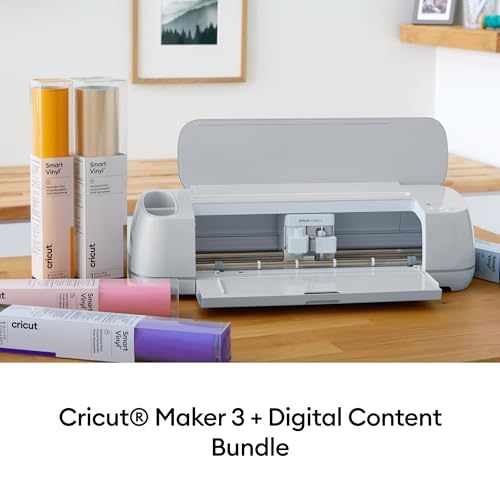
Prime Cricut Maker 3 & Digital Content Library Bundle



As an Amazon Associate we earn from qualifying purchases. Product prices and availability are accurate as of the date/time indicated.
The Explore 3 has no card: our catalog holds only Explore 5 bundles, so its figures come from Cricut’s 23 May 2021 launch post and the Explore 5 page chart.
Maker 3 vs Explore 3 at a Glance
| Item | Maker 3 | Explore 3 |
|---|---|---|
| Materials | 300+ | 100+ |
| Tools | 13 | Count not stated in the Cricut posts we opened |
| Knife Blade and Rotary Blade | Listed on Cricut’s Maker 3 page; Knife Blade 2.4 mm | Cricut’s blade pages say Maker only |
| Mats (Cricut comparison chart) | 12 x 12 in or 12 x 24 in | 12 x 12 in or 12 x 24 in |
| Smart Materials, no mat | Up to 12 ft | Up to 12 ft |
| Speed claim | Up to 2X faster than its predecessor; Cricut’s footnote: on Smart Materials, against the original Maker in Fast Mode | Up to 2X faster than before on Smart Materials; no baseline given |
| Dial | Not mentioned | None; settings in Design Space |
Source: Cricut’s Maker 3 page (international English store), Cricut’s Maker 3 and Explore 3 launch posts of 23 May 2021, Cricut’s Explore 5 comparison chart, and Cricut’s blade pages, checked November 2026.
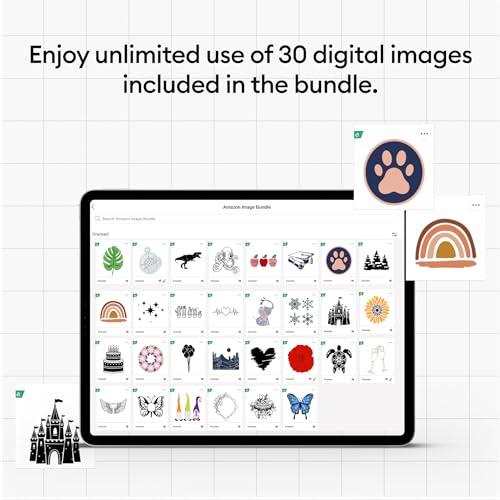
We research and compare; we do not run our own product trials. The Amazon listing says “10X more cutting power than any Explore series machines”. Cricut’s page lists “10X the cutting force” with the footnote “Compared to Cricut Explore Air 2”, and its intro says “10X more cutting power than Cricut Explore family machines”. The listing is a digital content bundle, also listing text.
The Differences That Matter
Blades and what they cut
Cricut’s Maker 3 page lists a Rotary Blade for fabric and a Knife Blade. Cricut’s Knife Blade page lists balsa up to 3/32 in and basswood up to 1/16 in, and says it is for Cricut Maker only. The Explore 3 post lists bonded fabric among its 100+ materials, and the Bonded-Fabric and Deep-Point Blade pages list Explore machines.
What they share
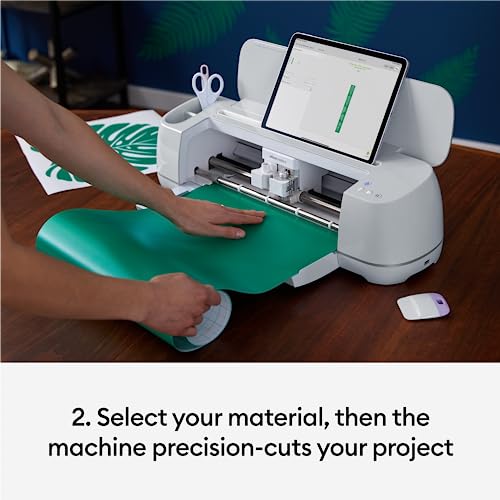
Both machines cut Smart Materials up to 12 ft without a mat. For Smart Iron-On, Cricut’s May 2021 posts say a single image can run up to 4 ft and repeated shapes up to 12 ft; by our arithmetic, 144 in divided by 48 in is 3, so repeats can run three times longer. Cricut’s Maker 3 page says it can make all the popular projects the Explore 3 can. Our reading: a shirt job needs neither Maker feature.
What Cricut still shows
Cricut’s US Maker 3 address redirects to the Maker 4 page, Its Explore 5 chart still lists both machines, and its Value Iron-On page names Maker 3 and Explore 3 as compatible. Cricut’s Explore page shows only the Explore 5, which it calls the next generation of its best-selling machine. Our reading: the Explore 5 now holds the Explore slot in Cricut’s store; we found no Cricut notice that the Explore 3 was discontinued.
Choose the Maker 3 If
- You plan to cut fabric with the Rotary Blade or wood and leather with the Knife Blade, and you find a unit or listing that is current.
Choose the Explore 3 If
- Your projects are cardstock, vinyl, iron-on, and stickers on 12 in mats.
- You find one for sale. Cricut’s Explore 5 page lists 100+ materials for the current model.
FAQ
Does the Explore 3 cut fabric?
Cricut’s Explore 3 post lists bonded fabric. Its Rotary Blade page says Maker only.
Do both machines need a mat for iron-on?
Only Smart Iron-On loads without one. Cricut’s mat page lists other iron-on under StandardGrip. See which Cricut mat size and blade types.
For a first machine, see best Cricut for beginners or cutting machines; newer Makers are in Maker 3, 4, and 5 compared; our scoring is on how we choose.
Changelog: November 2026: first published.