

For built-in text recognition, choose a scanner whose maker names searchable PDF output and the software that makes it. Of these five, the ScanSnap iX2500 documents the most (searchable PDF, a language list, Office conversion); the Ricoh fi-8170 page we opened does not mention OCR at all.


Quick Comparison
| Model | OCR wording on the maker page | Output formats named | Languages named | OS limits on output |
|---|---|---|---|---|
| ScanSnap iX2500 | Searchable PDF in ScanSnap Home | PDF, searchable PDF, Word, Excel, PowerPoint | Yes, a list | PDF made in ScanSnap Home on PC |
| Epson DS-530X | “OCR”; searchable PDFs | Searchable PDF, Word, Excel, PowerPoint | Not stated | PowerPoint Windows only |
| Epson ES-590W | Includes OCR technology | PDF, Word, Excel, PowerPoint | Not stated | PowerPoint Windows only |
| Brother ADS-4700W | None; “Searchable PDF” in format list | Searchable PDF, PDF/A, secure and signed PDF | Not stated | Not stated |
| Ricoh fi-8170 | Not mentioned | Not stated | Not stated | Not stated |
Source: Ricoh PFU, Epson, and Brother product pages, checked November 2026.
How We Chose
The job: a scanner that outputs a searchable PDF from a stack of paper, with the OCR step named by the maker. We read each maker page for OCR wording, output formats, languages, and platform limits, and wrote “not stated” where a page is silent. A missing line is not proof the feature is absent. We research and compare; we do not run our own product trials. Each card shows a Desk & Bench Score, a verified-buyer rating and not an editorial rubric; see how the score works.
What to check on any OCR scanner
- Where the OCR runs: on the PC in the maker’s software, or in a program you buy separately.
- Language: an Epson ScanSmart help page, which names no scanner model, says choosing Searchable PDF as the file type lets you select the OCR language. Set it to the language of your paper.
- Output: searchable PDF is the output these maker pages name most often; Office formats differ by platform.
- Input quality: Adobe says poor image quality, unusual fonts, or handwriting can reduce accuracy.
- Resolution: Epson Scan 2 guidelines list 200 to 300 dpi for OCR scans; that is Epson’s guide for its Epson Scan 2 software, so check your maker’s software. See DPI for scanning documents.
ScanSnap iX2500
PFU says searchable PDFs let you search by keyword and copy text. The document language list on its ScanSnap Home page starts with English, German, French, Italian, Spanish, Portuguese, and Russian and runs longer. PFU’s OCR Pack help page (written for ScanSnap Home 2.xx) describes language packs added through ScanSnap Online Update. The mobile app supports searchable PDF only in regions with ScanSnap Cloud.
Best for: mixed-language paper filed to a PC. Avoid if: a TWAIN or ISIS source is required; PFU lists neither.
Epson DS-530X
Epson headlines “Powerful document management with OCR” and says Document Capture Pro generates searchable PDFs or editable Office files. Document Capture Pro is Windows only and Document Capture is Mac only. The page names no OCR languages.
Best for: a records workflow that needs OCR and TWAIN or ISIS. Avoid if: you must know the OCR languages before buying.
Epson ES-590W
Epson says the scanner includes Optical Character Recognition (OCR) technology that converts text documents into digital files for generative AI tools, and adds that AI output should be checked for accuracy. Word and Excel output are listed for Mac, and Word, Excel, and PowerPoint for Windows only.
Best for: Epson users who want OCR and wireless in one scanner. Avoid if: you want a stated language list.
Brother ADS-4700W
Brother’s format list includes Searchable PDF, PDF/A, secure PDF, and signed PDF. The page does not name an OCR engine or languages, and says a bundled suite ships without naming it. It lists a 6,000-page daily duty cycle and TWAIN, WIA, ISIS, and SANE drivers.
Best for: a shared network scanner where searchable PDF is one of several outputs. Avoid if: you need the OCR program confirmed first.
Ricoh fi-8170
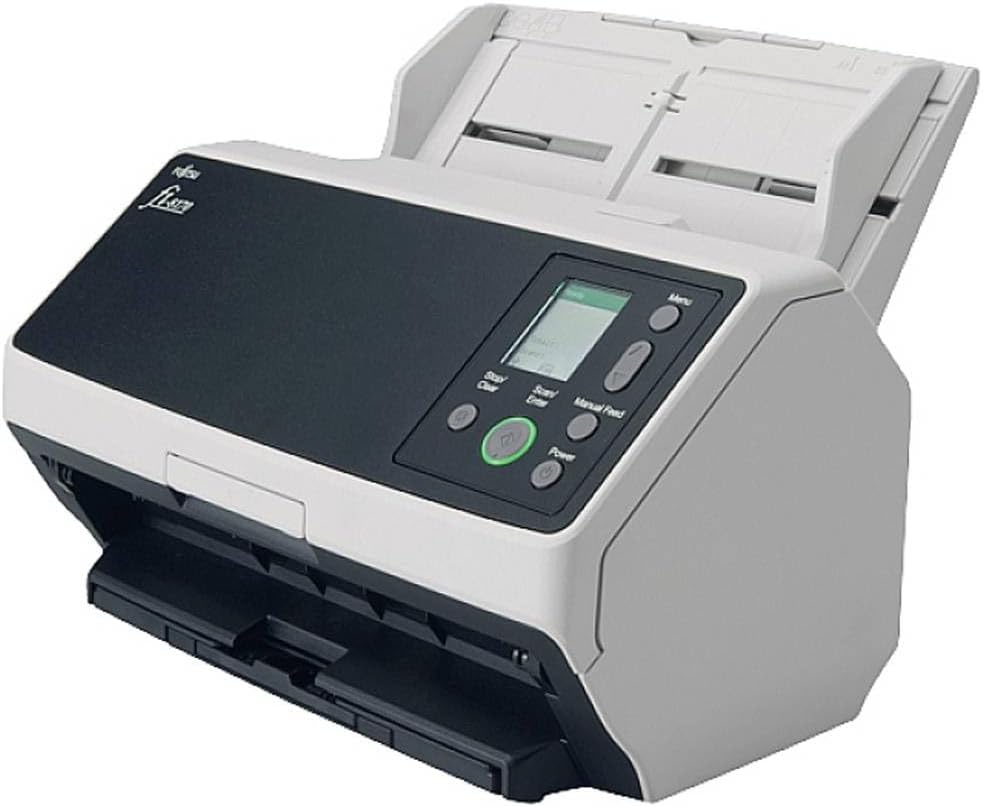
Ricoh lists a 100-sheet feeder, 70 ppm / 140 ipm (200/300 dpi, color, A4 portrait, JPEG compression), PaperStream IP (TWAIN, ISIS), and PaperStream Capture. The page does not mention OCR, so treat text recognition as software you add. The Amazon listing says Windows 7 and gives ScanSnap as the brand, while Ricoh’s page lists Windows 11 and 10; the page links to warranty information and gives no term itself.
Best for: high-volume capture feeding other software. Avoid if: you want OCR described by the maker.
Cost of Ownership
Software fees are not stated on these pages for the bundled OCR. Epson’s direct-to-PDF route needs Tungsten Power PDF, which its page does not say is included, and Ricoh sells PaperStream Capture Pro as an accessory. Rated time = pages / pages per minute: 1,000 / 45 = about 22 minutes on the iX2500, DS-530X, and ES-590W. OCR adds time that no maker page states.
Compatibility
PFU lists Windows 11 and 10 and macOS Monterey 12 or later. Epson pages name no Windows 11 or macOS version for these two models. Brother says Windows, Mac, and Linux without versions. For the hardware ranking, see best document scanners; for the concept, OCR scanning.
FAQ
Is OCR built into the scanner?
On these pages the OCR is mostly software on a PC, such as ScanSnap Home or Epson’s software. PFU also says the iX2500 can save a searchable PDF straight to a NAS without a PC or mobile device, after a one-time setup on a PC.
Can I trust the recognized text?
Proofread numbers and names. Adobe lists poor image quality, unusual fonts, and handwriting as accuracy risks, and Epson says to check AI output for accuracy.
Which software pairs with Windows?
See document scanning software for Windows.
Changelog: November 2026: first published.









