

Match the app to your phone before you match the printer. On the US App Store (checked November 2026), Brother’s Design&Print 2 reads iOS 18.0 or later and iPrint&Label reads iOS 26.0 or later. Design&Print 2 names the CUBE models; iPrint&Label names the PT-D460BT, PT-D610BT, PT-P300BT, and PT-P710BT. Phone-connected label printers also differ in tape width, from 12 mm to 24 mm on the Brother models, so check width and app together.



Quick Comparison
| Model | Max label width | Phone link | App named | Source | Best for |
|---|---|---|---|---|---|
| Brother PT-P710BT (CUBE Plus) | 24 mm (about 1 in) | Bluetooth, plus USB cable to a desktop | iPrint&Label, Design&Print 2, or P-touch Editor on a PC | Brother page and App Store | Wider tape from a phone |
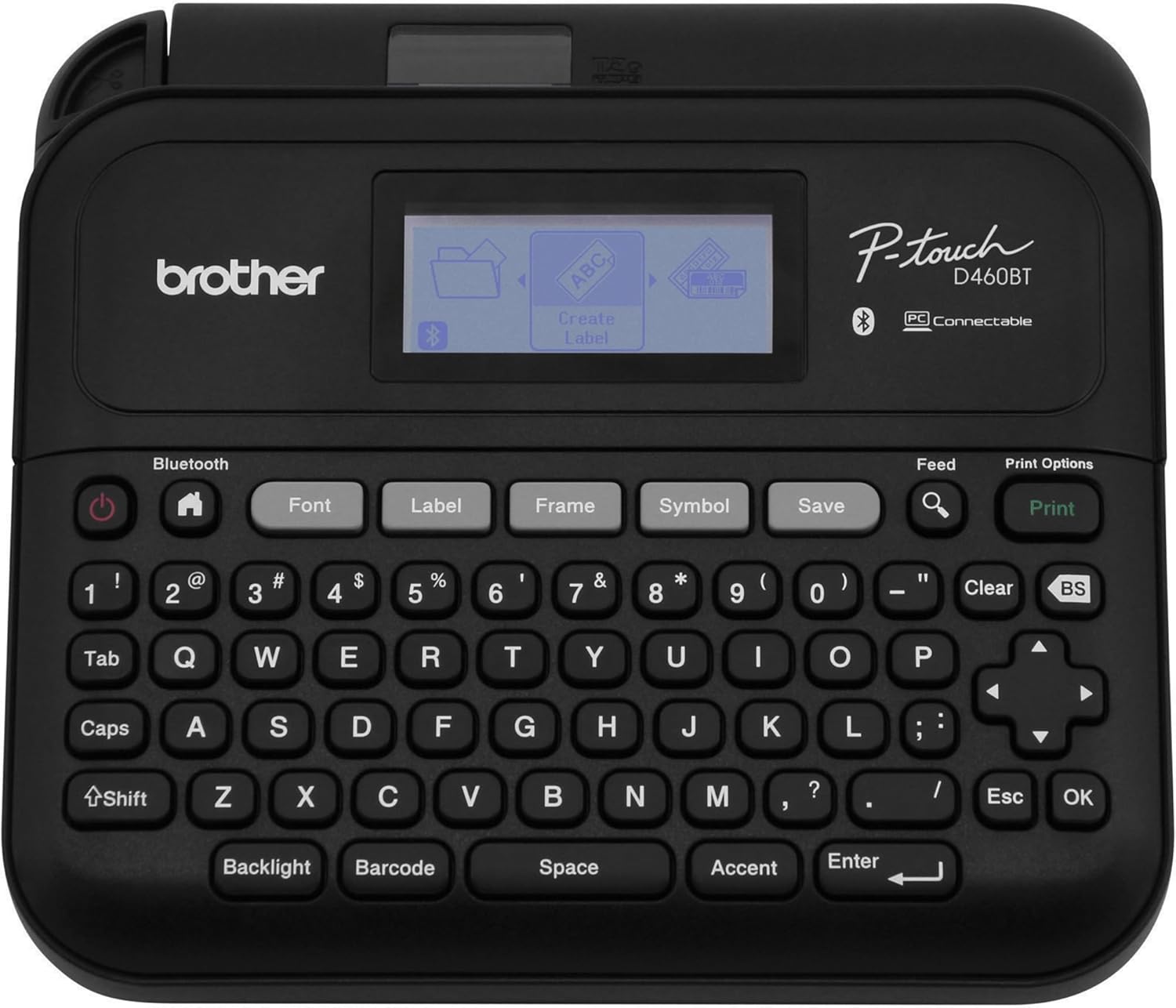
| Brother PT-D460BT | 18 mm (about 3/4 in) | Bluetooth | iPrint&Label (App Store listing) | Brother page and App Store | Phone printing with a 2 Year Limited warranty |
| Brother PT-P300BT (CUBE) | 12 mm (about 1/2 in) | Bluetooth | Design&Print 2 | Brother page | Small home labels |
| Phomemo M110 | 20 to 50 mm | Bluetooth, USB-C (listing) | Print Master | Phomemo page and Amazon listing | Compact labels, budget buyers |
| NIIMBOT D110 | Up to 15 mm | Bluetooth | NIIM | Amazon listing | Pocket-size jar and cable tags |
Source: Brother product pages and App Store listings, checked November 2026. Phomemo’s page gives the 20 to 50 mm width and the Print Master app, while Bluetooth 4.0, USB-C, and the paid-template note are Amazon listing text. NIIMBOT figures are Amazon listing text only; the NIIMBOT maker page returned an error.
How We Chose
The job: a label printer you run from a phone, for a home office or small shop. We kept models whose maker page or listing names a Bluetooth connection and an app. We research and compare; we do not run our own product trials. The ranking is editorial. The Desk & Bench Score on each card is a normalized buyer rating, not a rubric.
What to Check First
Which app, and which phone it needs
Brother’s Design&Print 2 page says it is “Compatible with P-touch CUBE, CUBE Plus, CUBE XP, and PT-N25BT.” Its US App Store listing reads “Requires iOS 18.0 or later” and “Only for iPhone.” The iPrint&Label US listing names PT-P300BT, PT-P710BT, PT-D460BT, and PT-D610BT among its printers and reads “Requires iOS 26.0 or later.” Both read Free. These are US storefront figures from November 2026; requirements change with each release and storefront, and we did not check Android or other countries.
Tape or roll, and who sells it
Brother models take TZe tape. The Phomemo page sells 40 x 30 mm labels fitted to the M110, and the NIIMBOT listing warns against tearing the sensor chip on the roll. Label cost is our calculation: roll price / labels per roll, so compare labels per roll as well as roll price.
Paid features
The Phomemo listing says some Print Master templates, icons, and fonts are for paid members. The Brother app listings read “Free.”
The Picks
1. Brother PT-P710BT (CUBE Plus)
Brother names three ways to design labels: iPrint&Label, Design&Print 2, or P-touch Editor from a PC over USB. It has a built-in Li-ion battery and a 1 Year Limited warranty. Best for: an iPhone that meets the Design&Print 2 listing’s iOS 18.0 requirement and needs 24 mm tape. Avoid if: your iPhone cannot run iOS 18.0; we did not check Android requirements.
2. Brother PT-D460BT
Brother’s page says “Connect your iOS® or Android™ device via Bluetooth® to create and print labels” and lists 2 Year Limited. Best for: people who want the longer warranty on a phone-connected model. Avoid if: your iPhone cannot run iOS 26.0, the App Store requirement for iPrint&Label, or you need 24 mm tape. For 24 mm with the same app, see the label maker ranking, which includes the PT-D610BT.
3. Brother PT-P300BT (CUBE)
Brother’s page lists 12 mm, the Design&Print 2 app, and 6 AAA batteries (not included) with an AC adapter (included). Best for: small home labels where 12 mm is wide enough. Avoid if: you need anything wider than 12 mm.
4. Phomemo M110
Phomemo’s page says it supports labels 20 to 50 mm wide and connects by the Print Master app or USB to a computer. The Amazon listing adds Bluetooth 4.0 and USB-C, and says “Not for shipping labels and does not support color printing.” Best for: small-format labels from a low-cost printer, after confirming specs with Phomemo. Avoid if: you need full documented specs; Phomemo’s page gives width and dpi in its description but no OS support list.
5. NIIMBOT D110
Listing only: prints up to 15 mm, 203 dpi, direct thermal, with the NIIM app on iOS and Android. Best for: tiny labels on jars and cables. Avoid if: you need a maker-confirmed spec, or labels wider than 15 mm.
FAQ
Do I need Wi-Fi?
Brother’s Design&Print 2 page says “Free app download and wireless connection required,” and the PT-P300BT page says “Requires connection to a wireless network via Bluetooth® wireless technology.” Those pages do not spell out whether that means Wi-Fi or Bluetooth; the Design&Print 2 App Store listing describes printing via Bluetooth, and the iPrint&Label listing mentions a local wireless network, so ask Brother support what applies to your setup.
Can a phone label printer print 4 x 6 in shipping labels?
Not these. The widest tape here is 24 mm. For shipping, see best 4 x 6 label printers or best label printers.
Changelog: November 2026: first published.









