

Measure the tab on your own folders first, because tape width decides which model fits. If you type a few dozen folder names on the device, the Brother PT-D210 is the plain option, though Brother’s page marks it Discontinued; choose the PT-D460BT for numbered labels or the PT-P700 to print from a computer.



Quick Comparison
| Model | Tape widths (Brother page) | Tape family | Computer or phone link | Power | Warranty |
|---|---|---|---|---|---|
| PT-D210 | 12, 9, 6, 3.5 mm | TZe | Not listed | 6 AAA and AC adapter, neither included | 1 Year Limited |
| PT-D460BT | 12, 9, 6, 3.5, 18 mm | TZe | USB or Bluetooth | AC adapter included; 6 AA not included | 2 Year Limited |
| PT-P700 | 24 mm | TZe | USB to a computer | AC adapter included; 6 AA not included | 1/3/25 Year Plus Limited |
| PT-M95 | 9 and 12 mm | M, non-laminated | Not listed | Not listed | 1 Year Limited |
Source: Brother product pages for each model, checked November 2026. “Not listed” means the page does not say.
How We Chose
The job: label a drawer of letter-size folders with names, dates or numbers on the tab. We compared tape widths, how you enter text, label memory and power. All figures come from Brother’s own product pages. We did not use DYMO here because dymo.com was not available to us; for that comparison read DYMO vs Brother.
We research and compare; we do not run our own product trials. The Desk & Bench Score on each card is a normalized verified-buyer rating, not an editorial grade; see how it is calculated. For the general ranking, see Best Label Makers.
Brother PT-D210
The page lists a 15-character, one-line display, up to 2 print lines, 30 labels stored and 27 pre-designed templates “for file and gift labels”. It names labeling file folders as a use, and the page carries a Discontinued label, so check current availability. Brother lists TZe Standard Laminated, Flexible ID, Extra Strength Adhesive and iron-on tapes as compatible.
Best for: typing a few dozen folder names on the device with no computer. Avoid if: you want to print from a computer or phone, since the page lists no connection.
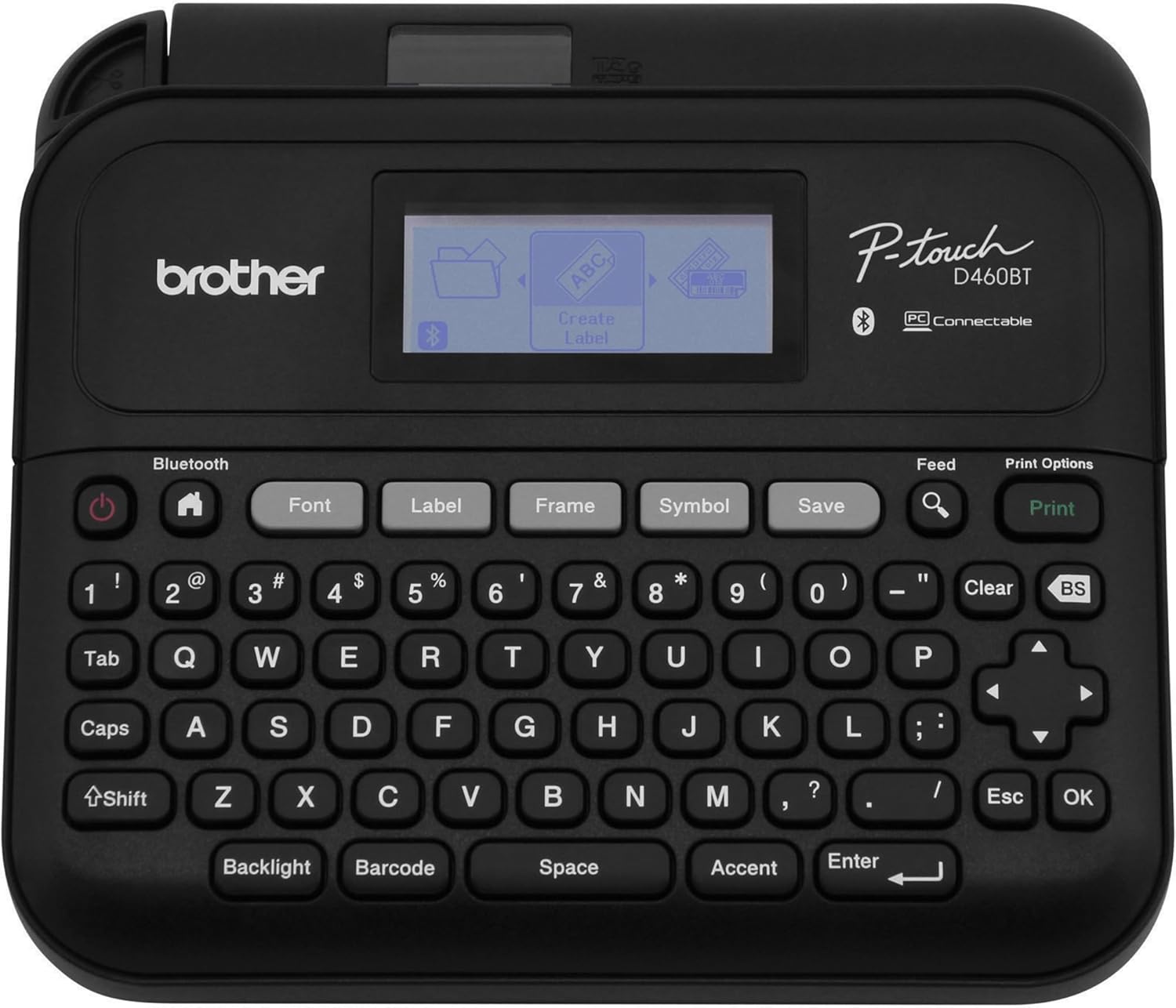
Brother PT-D460BT
Brother lists a 20-character by 2-line backlit screen, 70 stored labels, 40 pre-set templates and tape up to 18 mm (about 3/4 in). Auto Numbering and Barcoding appear under labeler features. Brother says a Mac or PC connects by USB or Bluetooth using free P-touch Editor software, and an iOS or Android device connects by Bluetooth with the iPrint&Label app. The page does not mention file folders; it mentions sealing “confidential file boxes”.
Best for: numbered or repeating folder labels from a computer or phone. Avoid if: you will never connect it, because connection, 18 mm tape, numbering and the longer warranty are what this page adds over the PT-D210.
Brother PT-P700
The page lists 24 mm in the spec table and “up to 24mm” in the description, and tells you to connect by the included USB cable. Brother says it is compatible with Windows and Mac, and a footnote says database printing requires the full P-touch Editor software and is Windows only. Brother gives no resolution; the Amazon listing says 180 x 360 dpi. The page does not mention file folders.
Best for: printing many folder labels from a computer. Avoid if: you want to label away from a computer, or you need to confirm narrower tape on Brother’s page before buying.
Brother PT-M95
Brother lists non-laminated “M” tapes in 9 mm and 12 mm, a 12-character display, 1 or 2 print lines, 9 type styles, 10 frames and over 200 symbols. The page names file folders and storage bins as uses. It lists no power source, memory, cutter or connection.
Best for: simple typed tabs on 9 mm or 12 mm tape. Avoid if: you want TZe rolls, because the page lists the M family only.
Cost of Ownership
Tape is the running cost. Cost per label = roll price / (roll length in inches / label length in inches). The starter tape on the PT-D460BT and PT-P700 pages is 13.1 ft, which is 13.1 x 12 = about 157 in. A 3 in folder label then uses 3 / 157 = about 2% of that roll (our calculation, before the blank leader the machine feeds). Use the price on the roll you buy.
The PT-D210 needs six AAA batteries or an AC adapter, and the page includes neither. The PT-D460BT and PT-P700 pages list an AC adapter as included.
Compatibility
TZe tape fits the PT-D210, PT-D460BT and PT-P700 pages; the PT-M95 page lists the M family. The PT-D460BT page says software app compatibility “may vary based on operating system”, so check your phone against Brother’s app listing. The PT-P700 page lists Windows and Mac.
FAQ
What tape width fits a file folder tab?
None of the Brother pages we opened gives a folder tab size. Measure your tab height and pick tape no wider than that. For example, a tab 0.6 in tall suits 12 mm (about 0.47 in) tape and not 18 mm (about 0.7 in) tape.
Do I need a computer to label folders?
No for the PT-D210 and PT-M95, which are typed on the device. The PT-D460BT works with a computer or phone, and the PT-P700 page describes connecting to a computer.
Is laminated tape better than non-laminated for folders?
The pages do not compare lifespan, so we do not rank on it. The PT-D210 page lists Standard Laminated TZe among other types; the PT-M95 page lists Non-Laminated M tape. For filing, our filing system guide covers the wider setup, and how to choose a label maker covers features.
Changelog: November 2026: first published.









