

If you ship a few parcels a day from a Windows or Mac computer, a 4×6 direct thermal printer such as the Rollo USB or the MUNBYN RealWriter 941 covers the job without ink or toner. Pick a Brother QL only if you also print other label sizes.



Quick Comparison
| Model | Resolution | Connection | Label width | Best for |
|---|---|---|---|---|
| Rollo USB (X1038) | 203 dpi | USB | 1.57 to 4.1 in | One computer, daily 4×6 labels |
| MUNBYN RealWriter 941 | 203 dpi | USB (series also has Bluetooth and Wi-Fi variants) | 1.57 to 4.3 in | Windows or Mac, mixed label sizes |
| Rollo Wireless (X1040) | 203 dpi | USB, Wi-Fi | 1.57 to 4.1 in | Phone or shared printing |
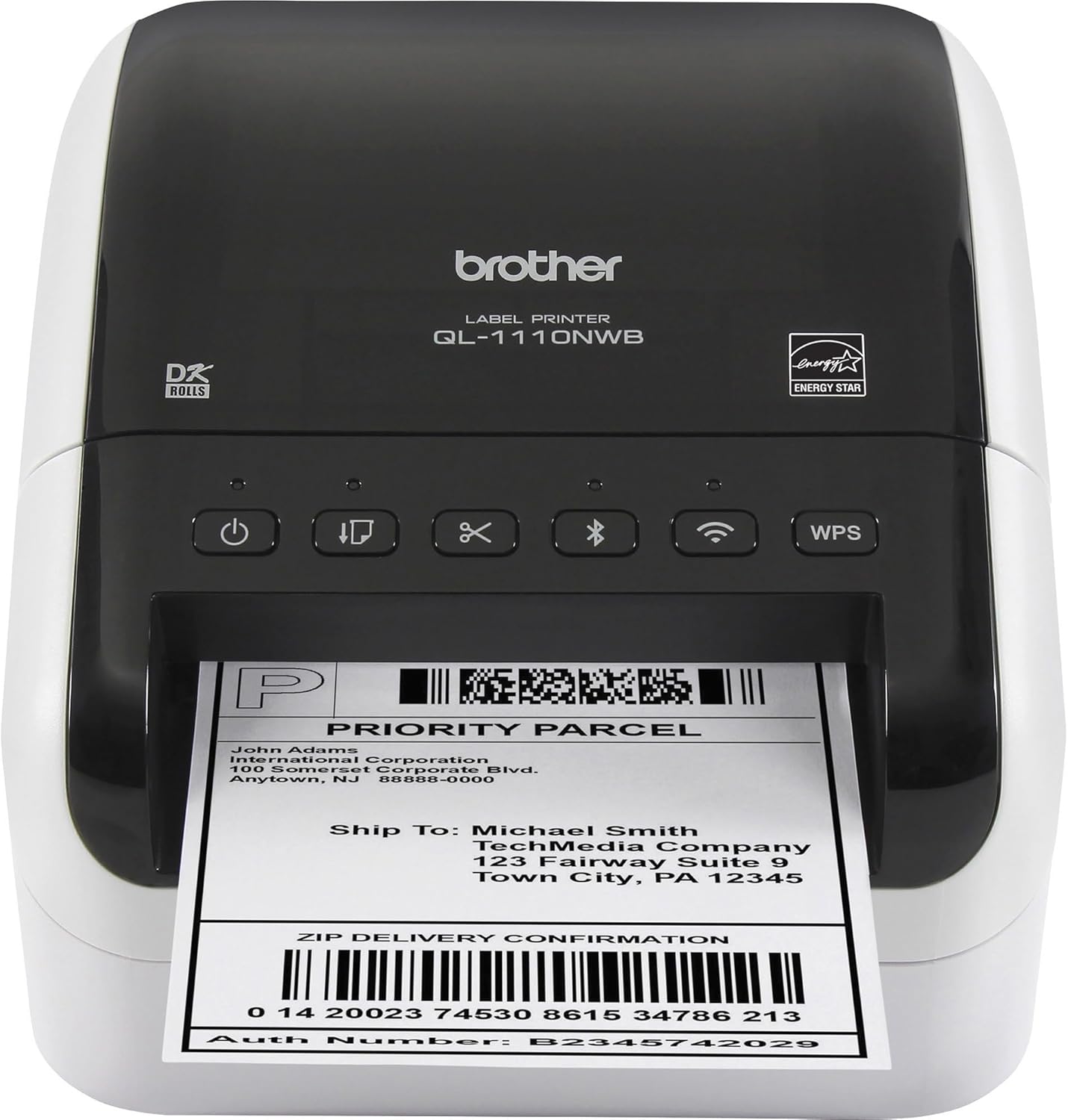
| Brother QL-1110NWB | 300 dpi | USB, Ethernet, Wi-Fi, Bluetooth | Up to 4 in | Office network, Linux |
| Brother QL-1100 | 300 dpi | USB | Up to 4 in | One computer, barcode work |
Source: Rollo, MUNBYN, and Brother product pages, checked November 2026.
How We Chose
The job: an online seller printing carrier labels at home, from about 5 to a few dozen a day, on one computer or a small network. We kept printers that print 4 in wide labels, need no ink, and have a stated Windows or macOS route. We research and compare; we do not run our own product trials. Picks come from maker pages and listing text. Ranking is editorial; the card score is the buyer-rating conversion explained in how we choose.
The Picks
Rollo USB
Rollo’s page lists 203 dpi, labels from 1.57 to 4.1 in wide, no ink, and one 4×6 label per second, over USB only. Its FAQ says this model connects by cable to Windows or Mac with a driver, while its product card says Windows, Mac, and Linux via USB cord, so confirm Linux with Rollo. The listing adds Windows XP and newer, and macOS 10.9 and newer.
Best for: one Windows or Mac computer printing carrier labels daily. Avoid if: you want to print from a phone or share one printer across a network.
MUNBYN RealWriter 941
MUNBYN’s spec tables list 203 dpi, 150 mm/s (its intro says up to 180 mm/s), and a 108 mm maximum print width. The series covers labels from 1.57 to 4.3 in wide. The tables list a USB model (ITPP941), a USB and Bluetooth model (ITPP941B), and a USB and Wi-Fi AirPrint model (ITPP941AP). The listing’s model number is ITPP941 and its spec field says USB only, but its title says Bluetooth, so confirm the connection before you buy. MUNBYN’s intro names Windows, macOS, iOS, Android, and Chromebook for the series, not per variant.
Best for: sellers who also print small product labels. Avoid if: you need Wi-Fi from the model on the listing, which MUNBYN’s page shows as USB only for the ITPP941.
Rollo Wireless
Rollo’s FAQ says the X1040 connects over Wi-Fi, is AirPrint certified, and prints from Mac, Windows, Chromebook, Linux, iPhone, iPad, and Android with no cable; its connectivity card says Wi-Fi and USB. The Linux conflict on Rollo’s page is about the USB X1038, not this model. Rollo’s FAQ gives both models the same 203 dpi and label width range.
Best for: printing from a phone or sharing one printer. Avoid if: you print from one USB-connected computer and do not need wireless.
Brother QL-1110NWB
Brother’s page lists 300 dpi, labels up to 4 in wide, Ethernet, Wi-Fi, and Bluetooth, and Windows, Mac, and Linux. The 69 labels per minute is for standard address labels with black text, so it does not describe 4×6 shipping labels.
Best for: an office network with several users. Avoid if: you print from a single USB-connected computer and do not need networking.
Brother QL-1100
Same print head specs as the 1110NWB but with USB only. The page lists a USB host port for a barcode scanner, a starter kit with DK-1247 large shipping labels, and Windows versions up to 10. Windows 11 is not stated on that page, so check Brother’s driver page.
Best for: one computer with barcode-heavy work. Avoid if: you need Wi-Fi.
Cost of Ownership
No ink or toner is involved: Rollo’s page and the MUNBYN listing describe the printers as needing no ink. Your running cost is labels. Cost per label = price of a pack / labels in the pack, using the seller’s price on the day you buy. At 20 labels a month that is 240 labels a year; compare packs against that number. Our direct thermal vs thermal transfer guide explains the two thermal methods.
Compatibility
- Windows and macOS: all five list a route; Brother’s page lists Windows up to 10 and Mac OS X up to 10.13
- Linux: Rollo Wireless per its FAQ, Brother QL-1110NWB per its page; Rollo USB conflicts between its card and FAQ
- Phone printing: Rollo Wireless (AirPrint per Rollo’s page); MUNBYN makes Bluetooth and AirPrint variants, but the listed ASIN looks like the USB model
- Label format: carrier sites output 4×6 or letter; see print shipping labels at home
- Printing fails: see label printer not printing
Browse the small business category for related picks.
FAQ
Do I need ink?
No. Direct thermal printers heat the label, so the listings call them inkless.
Can a Brother QL print a full 4×6 carrier label?
Brother’s page says labels up to 4 in wide and names DK-1247 shipping labels in the starter kit. It does not state that a carrier’s 4×6 file fits without scaling, so check Brother’s label list first.
Which size does my carrier need?
Pirate Ship’s support pages say UPS labels come only in 4×6. If your carrier offers a letter-sheet format, a regular printer can print it.
Changelog: November 2026: first published.









