

If you print QR labels from a computer, start with a Brother QL-820NWB or QL-800: both Brother pages name QR code among the bar code types you can print from a PC. For tape labels under an inch wide, the PT-D460BT and PT-D610BT pages mention QR codes in their feature text.



Quick Comparison
| Model | Max label width | QR on Brother’s page | Connection | Resolution on page | Computer support |
|---|---|---|---|---|---|
| Brother QL-820NWB | 62 mm (about 2.4 in) | Bar code types, PC connected | Bluetooth, USB Host, Wi-Fi, Ethernet, Wi-Fi Direct | 300 dpi only in print-speed text, no resolution row | Windows Vista to 10, Server 2003 and 2008 |
| Brother QL-800 | 62 mm (about 2.4 in) | Bar code types, PC connected | USB | Up to 300 x 600 dpi | Windows Vista to 10; Mac OS X 10.10.5 to 10.13.x |
| Brother PT-D460BT | 18 mm (about 3/4 in) | Feature text | USB or Bluetooth | Not listed | Mac or PC with P-touch Editor |
| Brother PT-D610BT | 24 mm (about 1 in) | Feature text | USB or Bluetooth | 180 x 360 dpi | P-touch Editor; page lists no OS row |
Source: Brother U.S. product pages, checked November 2026.
How We Chose
The job: a small business that prints QR codes on product, bin, or asset labels from a PC or phone. We kept printers whose maker page names QR codes, then compared label width, resolution, connection, and operating system. We research and compare; we do not run our own product trials. Our Desk & Bench Score on a card is a normalized buyer rating, not an editorial grade.
Others are left out for lack of a maker statement we could use. Zebra’s site returned an error to our fetch. The MUNBYN 941 page we opened does not mention QR codes, and the Phomemo M110 page mentions them only in one marketing line with no QR detail. Neither is evidence about what the printer can or cannot do. See MUNBYN vs Zebra for 4 x 6 in options.
What Matters for QR Codes
Denso Wave, the QR code’s developer, says a Version 1 code is 21 x 21 modules and each higher version adds 4 modules per side, so Version 2 is 25 x 25. Its page also says a margin is required but gives no size.
Our calculation, assuming 3 printer dots per module: a Version 1 code is 21 x 3 = 63 dots wide. At 203 dpi that is 63 / 203 = about 0.31 in; at 300 dpi it is 63 / 300 = 0.21 in, before the margin. More on dots in label printer dpi.
The Picks
1. Brother QL-820NWB
It has the widest connection list here and a 62 mm label width. The OS row lists Windows only, while the description says Windows and Mac compatible; we cannot reconcile the two, so confirm before buying for a Mac. Its 300 dpi figure appears only in the print-speed description and footnote, not as a resolution spec.
Best for: printing QR labels on 62 mm stock from a Windows PC over Wi-Fi or Ethernet.
Avoid if: you print only from a Mac, or need labels wider than 62 mm.
2. Brother QL-800
Same 62 mm width and the same QR entry, on a USB-only interface. The page lists up to 300 x 600 dpi and Mac OS X only through 10.13.x. It lists Operation Modes as PC Connected, and also shows a Mobile Device Printing App as Yes, so check how phone printing works with USB only.
Best for: one Windows PC on a USB cable.
Avoid if: your Mac runs a newer macOS than the page lists, or you want wireless.
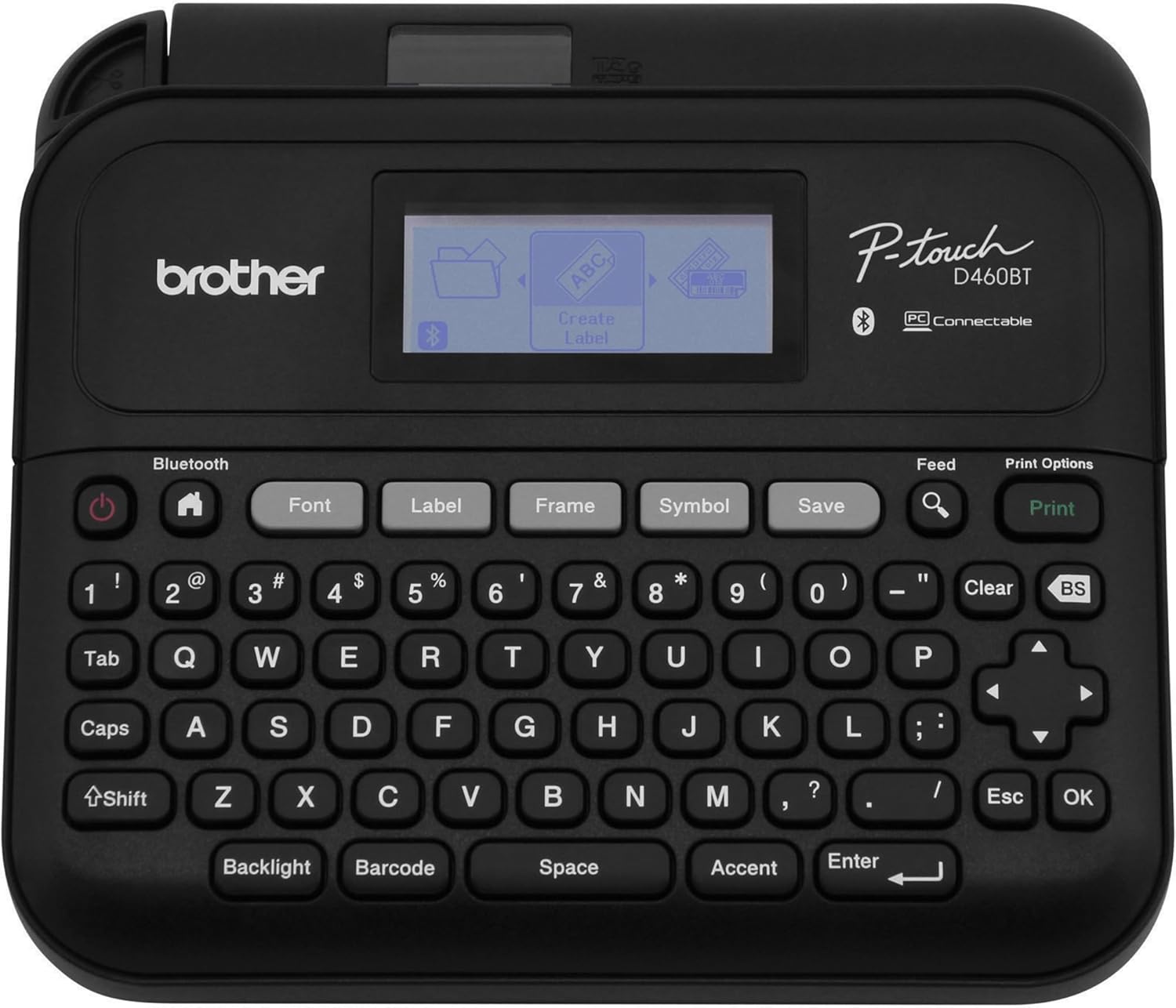
3. Brother PT-D460BT
A tape printer with an 18 mm maximum width. The page text mentions QR codes for product labels, and lists barcodes in both computer-connected and stand-alone modes. It gives no resolution. Power is an AC adapter (included) or 6 AA batteries (not included).
Best for: small QR tags on shelves, bins, or cables where 18 mm is wide enough.
Avoid if: you need a QR label wider than 18 mm.
4. Brother PT-D610BT
The 24 mm step up, with 180 x 360 dpi on the page. Its text says you can make labels with QR codes from a computer over USB or Bluetooth. No operating system row appears on the page.
Best for: asset tags that need a QR code beside a few lines of text on 24 mm tape.
Avoid if: you need an OS list from Brother before you buy.
Cost of Ownership
The QL-800 page says it needs no ink or toner, so the running cost is the label roll. Cost per label = roll price / labels per roll. For Brother’s DK1209 small address label (1.1 x 2.4 in, 800 labels; its page lists the QL-800 and QL-820NWB), that is about 3.2 cents per label, based on Brother’s store price, checked November 2026. At 1,200 labels a year, multiply 1,200 x 3.2 cents. We did not read TZe tape prices for the two P-touch models.
Compatibility
Brother’s pages name P-touch Editor for computers and the iPrint&Label app for phones; the QL-820NWB page adds an Air Label Print app. The QL-800 Plug & Label feature is marked Windows only. Operating system coverage differs per page, as the table shows, and the PT-D610BT lists no OS row. For where QR codes fit a wider system, see barcode system for a small business.
FAQ
Does the printer or the software make the QR code?
Brother lists QR code under the bar code types for the PC-connected mode on the QL pages. We did not open the phone app pages, so confirm QR support there before you rely on a phone.
Which one for asset tags?
That is a separate job with its own picks; read best asset tag label printers.
What about 1D barcodes?
Code 128 and UPC are covered in best barcode label printers. More small business gear is in the small business category.
Changelog: November 2026: first published.









