For home use, the printer to start from is the one whose maker states the largest multi-color setup, and on the pages we read that is the Bambu Lab P2S Combo, with up to 20 colors, ahead of the P1S at up to 16. Single-color printing needs none of it, so this guide ranks only the color route. It quotes no prices.



Quick Comparison
| Printer | Color route | Colors stated | Software named |
|---|---|---|---|
| Bambu Lab P2S Combo | AMS 2 Pro in the Combo; the P2S cannot use the AMS hub (Bambu Lab Wiki) | Up to 20 (Bambu Lab Wiki, P2S FAQ) | Bambu Studio (Bambu Lab Wiki) |
| Bambu Lab P1S | AMS added; listing says AMS is required for color | Up to 16, stated for the P1P (Bambu Lab Wiki, P1 introduction); P1 FAQ: up to 4 AMS devices | Bambu Studio (Bambu Lab Wiki) |
| Original Prusa MK4S | Optional MMU3 add-on, 25 to 35 seconds per filament change (Prusa) | Up to 5 (Prusa) | PrusaSlicer (Prusa) |
| Bambu Lab A1 | AMS lite, or AMS through the AMS hub accessory (Bambu Lab Wiki) | 4 with one AMS lite (Bambu Lab Wiki); none stated for the hub route | Bambu Studio (Bambu Lab Wiki) |
| ELEGOO Centauri Carbon | CANVAS add-on (ELEGOO Wiki) | Up to 4 spools (ELEGOO Wiki) | ELEGOO Slicer (ELEGOO Wiki) |
Sources: maker wikis and product pages, plus Amazon listings where marked, checked November 2026. The P1 introduction page is written around the P1P, so its 16-color figure is stated for the P1P; the P1 FAQ separately says the P1S connects up to 4 AMS devices.
How We Chose
The job: color printing at a desk at home, without modifying the printer. We kept five catalog picks whose maker pages describe a color route in their own words. Our order: the most colors a maker page states, largest first; ties go to the higher Desk & Bench Score. The score reflects verified buyer ratings only. These picks come from spec pages and listings, not from units we handled. See How We Choose.
Our Picks
Bambu Lab P2S Combo
Bambu Lab’s P2S FAQ gives a maximum of 20 colors: 4 AMS 2 Pro and 4 AMS HT units, 8 units with 20 slots. It says the Combo includes the AMS 2 Pro and comes with the buffer installed, and that the P2S cannot use the AMS hub. Its answers on running two AMS units together differ: one says the buffer’s two 6-pin ports cannot connect two at the same time, another says the buffer supports a dual AMS connection. The listing says the P2S alone does not support multi-color.
Best for: a one-box color start with the highest count a maker states; the FAQ says the Combo includes the AMS 2 Pro.
Avoid if: you need to know how many AMS units run together on one printer: the FAQ answers differ, so check Bambu Lab’s page first.
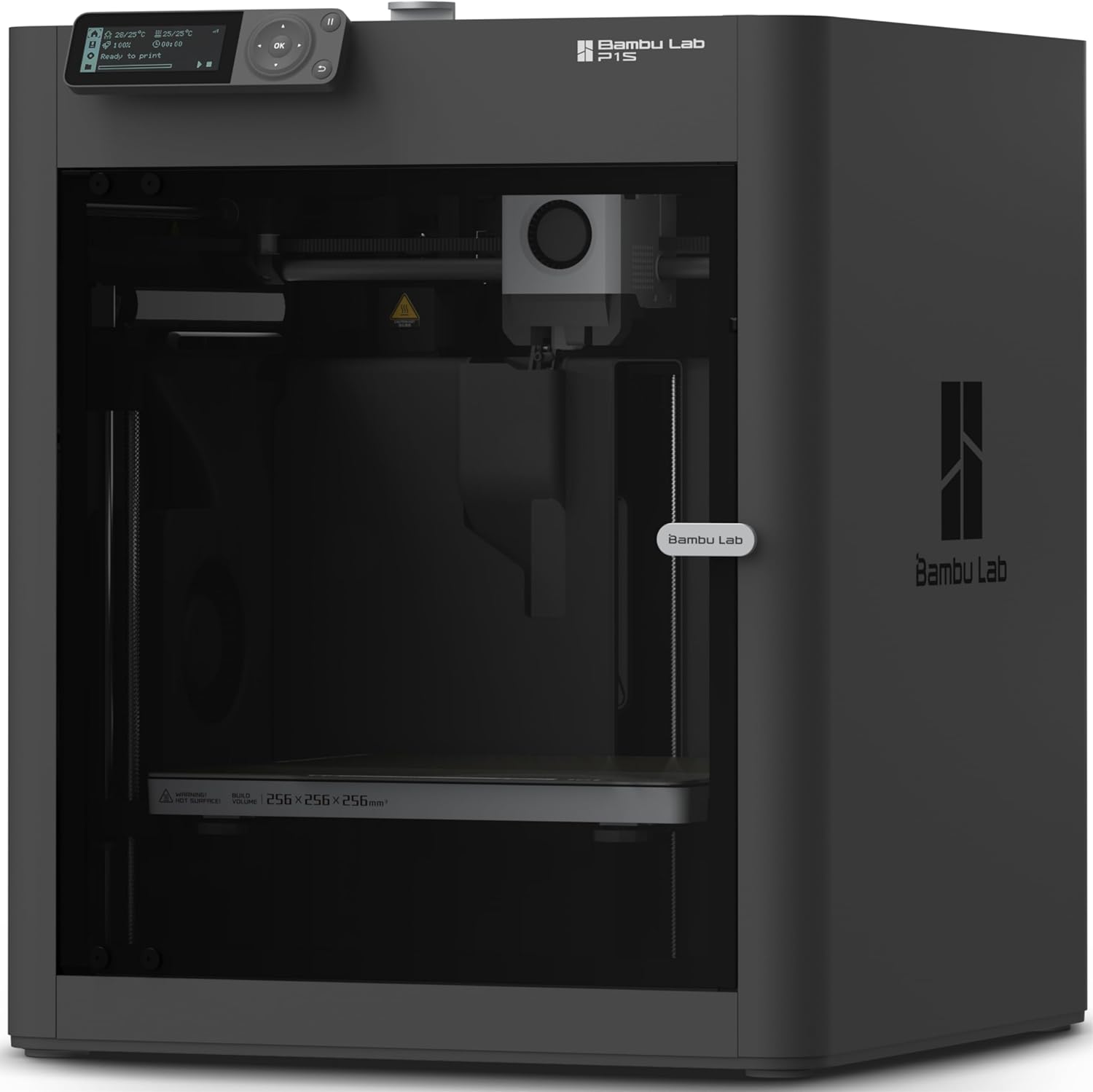
Bambu Lab P1S
Bambu Lab’s P1 introduction says the P1P is compatible with the AMS and AMS hub for up to 16 colors, and the P1 FAQ says the P1S connects up to 4 AMS devices. The listing says an AMS is required for color, and this SKU’s title lists none.
Best for: a desk where you want a large color count a maker states and will buy the AMS separately.
Avoid if: you want one box to be complete: this SKU’s title lists no AMS.
Original Prusa MK4S
Prusa’s page says the optional MMU3 lets the single-extruder MK4S print with up to 5 colors, sliced in PrusaSlicer, and says the standard nozzle makes more sense than the high-flow one with it. Prusa says it is designed for fully offline use. This SKU is the assembled MK4S with a 1 kg PLA spool; its title lists no MMU3.
Best for: a home printer that can run offline, with color as a later add-on.
Avoid if: you need color on day one: the MMU3 is a separate purchase.
Bambu Lab A1
Bambu Lab’s wiki says the A1 toolhead takes four filaments, and its A1 FAQ says one AMS lite is the most the A1 supports: a maximum of 4 colors. The same FAQ says an AMS hub accessory connects AMS, AMS 2 Pro, and AMS HT units, with no count given. This SKU’s title lists no Combo.
Best for: a four-color setup, within the FAQ’s one-AMS-lite limit.
Avoid if: you need more than 4 colors through the AMS lite route.
ELEGOO Centauri Carbon
ELEGOO’s wiki says that to print a multicolor model you need to install CANVAS, lists up to four spools, and uses ELEGOO Slicer. Its full-size guide says removing the cutter stopper and setting the excluded bed area to 0 x 0 gives the full 256 x 256 mm and disables automatic unloading. The listing title names no CANVAS.
Best for: four colors from ELEGOO Slicer.
Avoid if: you want automatic unloading and the full bed together; the wiki ties them to the stopper.
What the Color Route Costs in Time
Prusa states 25 to 35 seconds per MMU3 change; the Bambu Lab and ELEGOO pages we read state none. Our arithmetic: 100 changes x 25 seconds = 2,500 seconds, about 42 minutes; 100 x 35 = 3,500 seconds, about 58 minutes.
FAQ
Do I need multi-color to start?
No. Every route above is an add-on or Combo, and each printer prints one spool at a time without it. For a first printer, see our guide to the best 3D printer for beginners.
Does the chamber matter for color?
The sources above tie color to the AMS, MMU3, or CANVAS, not to a chamber. Chamber wording is compared in our enclosed printer guide.
What if the AMS stops feeding?
Check Bambu Lab’s wiki for your model’s AMS feeding steps. For a print shop, see small business printers; for fine detail, miniatures. Browse the FDM printers category.
Changelog: November 2026: first published.